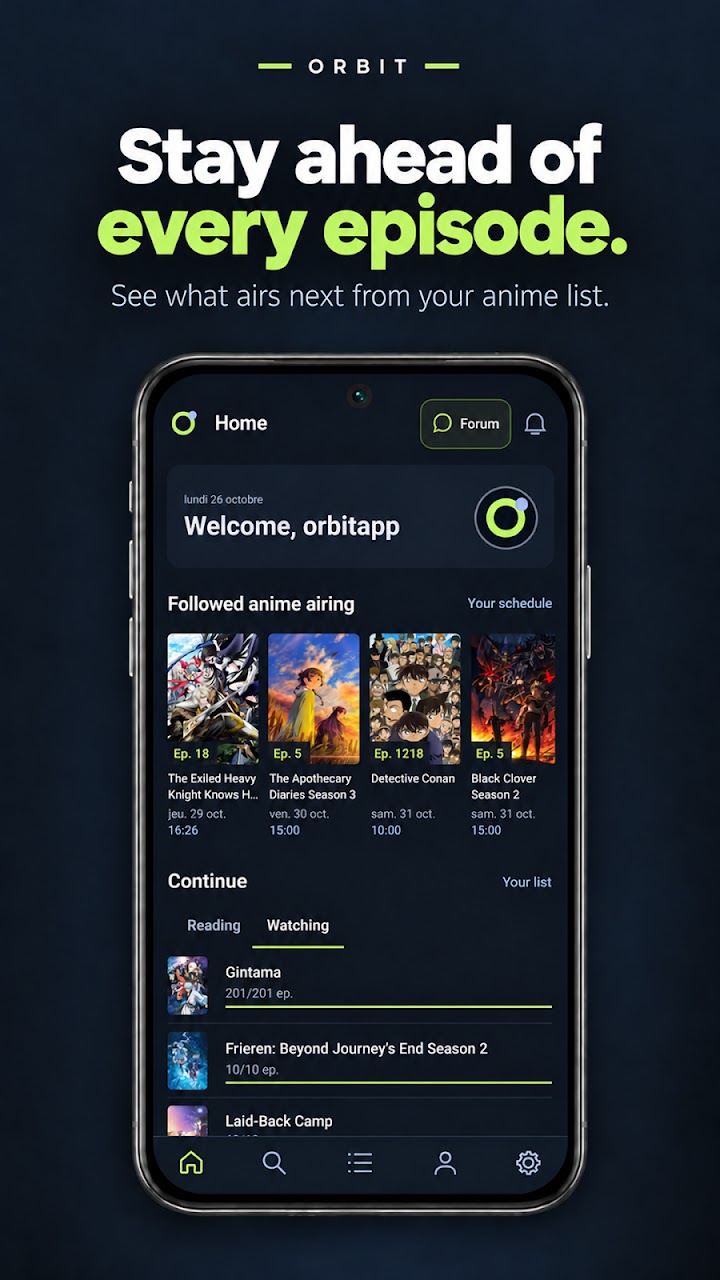
Android · Anime & manga · AniList
Orbit – AniList Client for Android
Your anime, manga and community.
A little more connected.
Orbit is one of the most complete AniList clients for Android, bringing anime and manga
tracking, discovery and community together in one app. Keep your lists and progress up to
date, discover your next title, and stay connected to the AniList community. Orbit brings
together extensive AniList integration and additional ways to explore your library,
including automatic completed-franchise grouping, interactive relation maps, episode
guides and anime openings and endings.
Ad-free. No paid subscriptions. No trackers.
An AniList account is required.
Made for your AniList library
What is Orbit?
Orbit – AniList Client is an Android anime tracker and manga tracker that connects to
your existing AniList account. Your anime and manga lists belong to AniList; Orbit gives
you a dedicated mobile interface for viewing and updating them.
Sign-in takes place through AniList in your browser. After authorization, Orbit can read
your account data and send supported changes back to AniList. There is no separate Orbit
account to create.
This is the official product website for Orbit, an independent app. Orbit is
not an official AniList application and is not affiliated with or
endorsed by AniList. The AniList website remains the
underlying service.
A different view of your collection
What makes Orbit different?
The core of Orbit is your AniList library. Its additional tools help you make sense of
long-running series, explore connections and choose what to watch or read next.
01
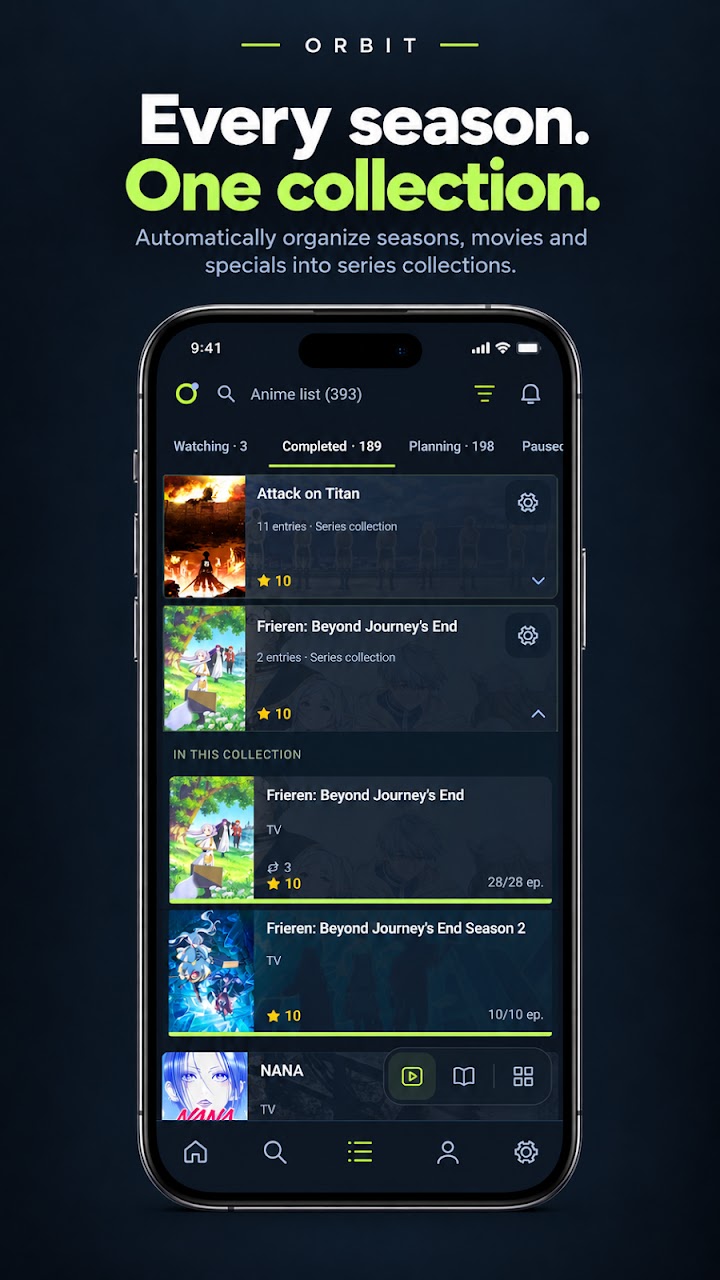
Automatic anime franchise grouping
A series can span several seasons, films and other related entries. Orbit can group
eligible completed anime from the same franchise into a collection, making a busy
completed list easier to browse without losing the individual entries.
Grouping is optional and starts switched off. Enable it in your Collection settings to
bring related completed titles together. It changes how Orbit presents your own list;
it does not merge your AniList records or rewrite their relationships.
Use it when you want to revisit a series as a whole instead of finding each completed
season separately. Group membership depends on the available relationship data and
your grouping settings.
02
Interactive anime and manga relation maps
Open a relation map to explore how an anime or manga connects to other entries. Follow
sequels, prequels and supported side relationships, then open an entry for more
information or list actions.
Map and list views help you navigate complicated franchises. Relation filters, list
membership and release-date views let you focus on the connections that matter to you.
A map is a guide to available catalogue relationships, not a guaranteed complete
franchise or a definitive watch order. Anime and manga relationships can include
different kinds of connections, so a release sequence and a story sequence are not
always the same.
03
Anime openings and endings
Discover the music behind your favourite anime. Orbit brings opening, ending and
insert-song information into your anime experience through AnimeThemes, with clip
playback for supported themes.
Revisit a favourite opening or explore the ending that stayed with you, alongside your
AniList tracking and media details.
Theme information and clips depend on AnimeThemes coverage. Orbit plays theme clips,
not full anime episodes.
04
Episode guides with canon and filler information
For supported anime, Orbit combines episode information with canon, mixed and filler
classifications. This gives you context when you are deciding how to approach a long
series or checking the next episode on your list.
Episode metadata comes from Tenrai, with classifications from AniFillerPedia where a
supported match is available. Coverage varies; an episode without a reliable match is
not automatically classified as canon or filler. These are information guides, not
full-episode streaming.
Connected to AniList
AniList features supported in Orbit
Track your collection, explore the catalogue and take part in the community from Android.
The overview below describes supported workflows; it is not a claim of complete feature
parity with the AniList website.
Anime and manga list management
Update watching or reading, completed, planning, paused and dropped entries. Set
scores, record episode, chapter and volume progress, add notes and dates, and manage
private entries. Choose a title language and score format that suit how you use
AniList.
Profiles, favourites and statistics
Explore user profiles, favourites, list information and AniList statistics. Discover
what other people enjoy and open the media, characters, staff and studios connected to
their interests.
Activities and social interactions
Follow users, browse activity, like supported posts and read notifications. Profile
and activity views keep the social context around your anime and manga interests close
to your lists.
AniList forums
Browse and search discussions, read threads and replies, and use supported posting,
liking and subscription actions. Access and publication depend on your AniList account
and the thread’s permissions.
Save local writing drafts for your account and return to them later. Saving a draft
does not publish it or queue an offline post.
Previously synchronized lists, offline
Orbit can retain successful own-list snapshots so you can browse previously
synchronized anime and manga lists during a connection failure, with a usable stored
session.
This does not mean offline editing, an offline catalogue or guaranteed artwork
availability. Refreshes and changes need a connection. Signing out clears private
library snapshots; an expired or invalid session can require signing in again.
Details and account boundaries
Media pages bring together available genres, tags, ratings, characters, staff,
studios, related titles and external links. Some account and list tools—including
account/security settings and imports—open AniList’s website. Orbit does not replace
AniList account administration.
Make room for your preferences
Personalization
Choose from preset colour themes or build a custom palette with colour selection and
hexadecimal input. Theme controls let you shape the appearance of the app beyond a
single accent choice.
Show, hide and rearrange supported Home sections to put the information you use first.
Reorder discovery sections and configure the Anime and Manga experiences separately.
Favourite ordering and profile layout controls provide more ways to organize what other
people see and what you want to reach quickly. These preferences change presentation;
they do not alter anime metadata or create new recommendations on AniList.
Follow your curiosity
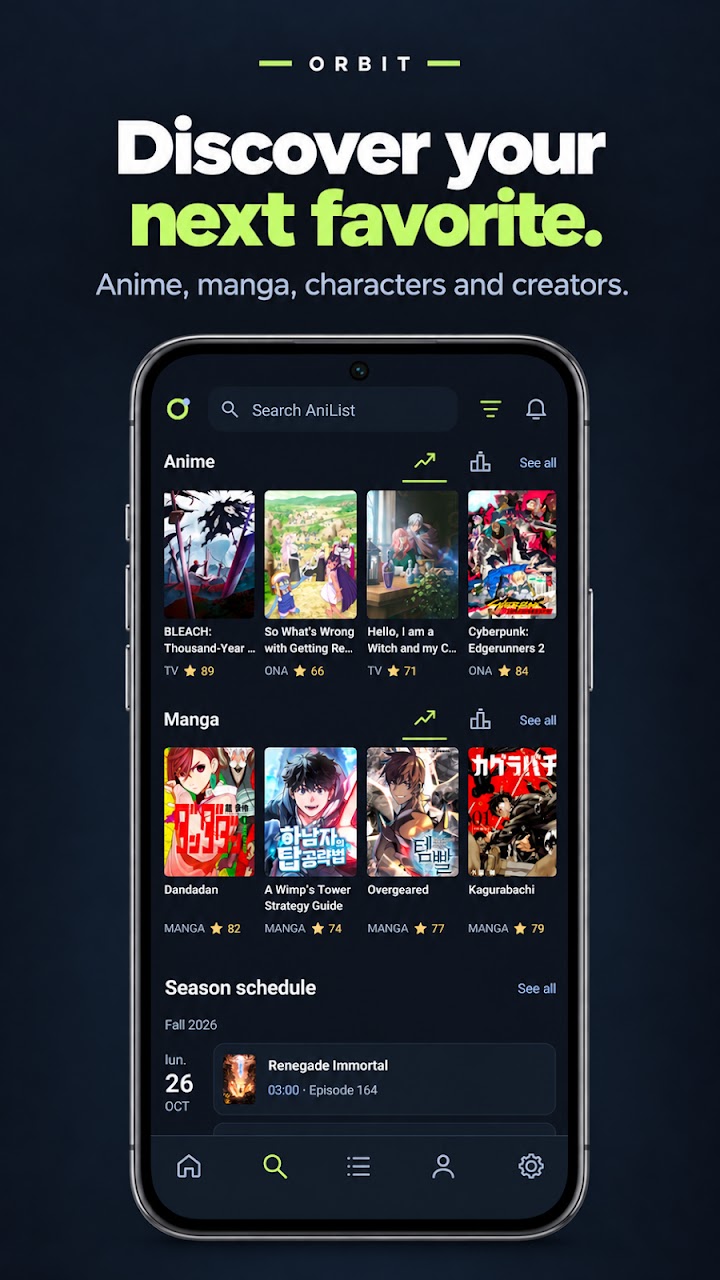
Anime and manga discovery
Search for anime, manga, characters, staff, studios and users, or begin with popular
titles and discovery sections. Move from a title to its cast, creators and related works
to explore the catalogue through connections.
Media search supports advanced criteria such as genres and tags, format, year, score and
country. Other criteria, including season, source and studio, apply where supported.
Filters vary by search type; a people search does not have the same controls as an anime
search.
A typical discovery flow can start with a filtered anime search, continue through the
details and relation map, and finish by adding a title to your planning list. Your
AniList library remains the place where tracking progress and discovery meet.
Good to know
Frequently asked questions
What is Orbit – AniList Client?
Orbit is an unofficial Android app for tracking anime and manga with an AniList account.
It combines list management, catalogue discovery and community features with tools such
as completed-franchise grouping and relation maps.
Is Orbit available for Android?
Yes. Orbit is available on
Google Play for Android. Check the listing on your device for installation availability and compatibility.
Is Orbit an official AniList application?
No. Orbit is an independent third-party client. It is not operated by, affiliated with
or endorsed by AniList.
Can Orbit sync with an existing AniList account?
Yes. Authorize Orbit through AniList to access your existing account. Supported list
edits are sent to AniList when connected. An AniList account is required; you do not
create a separate Orbit account.
Can Orbit manage custom AniList lists?
Create, rename and delete custom AniList lists, and select multiple entries to change
their membership. See
custom-list tools and limitations.
Does Orbit support anime franchise grouping?
Yes. Optional grouping brings eligible related completed anime together in your own
Collection. It is off by default and changes the display in Orbit without merging the
individual AniList entries.
Can Orbit display anime and manga relation maps?
Yes. Orbit displays interactive relation maps for anime and manga with supported
relation and display filters. The result depends on available catalogue relationships
and is not a guaranteed complete franchise or watch order.
Can I compare my AniList list with another user’s list?
Compare anime and manga lists with Shared and All views, filters, normalized ratings and
statistics. See list comparison.
Can I browse my AniList library offline?
Yes, previously synchronized own lists can remain available with a usable stored
session. This is offline browsing, not offline editing. New catalogue data, updates and
uncached artwork may need an internet connection.
Does Orbit provide anime filler episode information?
Yes, for supported anime with a reliable provider match. Episode guides can show canon,
mixed and filler classifications; coverage is not universal, and missing classifications
remain unknown.
Can I customize Orbit’s appearance?
Choose preset themes, create custom palettes with hexadecimal colours, and arrange your
Home and discovery sections. See personalization.
Does Orbit support AniList social features?
Yes. Orbit supports profiles, favourites, activity, follows, likes, notifications and
forums. Follow profile messages and replies in a conversation-style interface.
Can I watch anime or read manga in Orbit?
Orbit is a tracking, discovery and community client. It is not a service for streaming
full anime episodes or reading manga chapters. Available external links open the
relevant service; AnimeThemes provides opening and ending clips within Orbit.